Get started
Quickstart
Two simulated bots, a broker, the station and the page, each in its own container. Then you drive a bot from your browser. Do Install first.
1. Start everything
From the repo’s top folder:
./gunkslab up
The last line says where the page is:
gunkslab: up, 2 simulated bots. The page is open: http://127.0.0.1:8080/
It starts the four pieces in order and opens the page in your browser. The first run pulls and builds the images, so
it takes longer. After that, seconds. For four bots, run ./gunkslab up 4.
Everything stays on this machine. It listens on 127.0.0.1 only, and nothing needs a login.
When it’s working, the top of the page says connected and station online, and both bots are on the desk and online in the list:
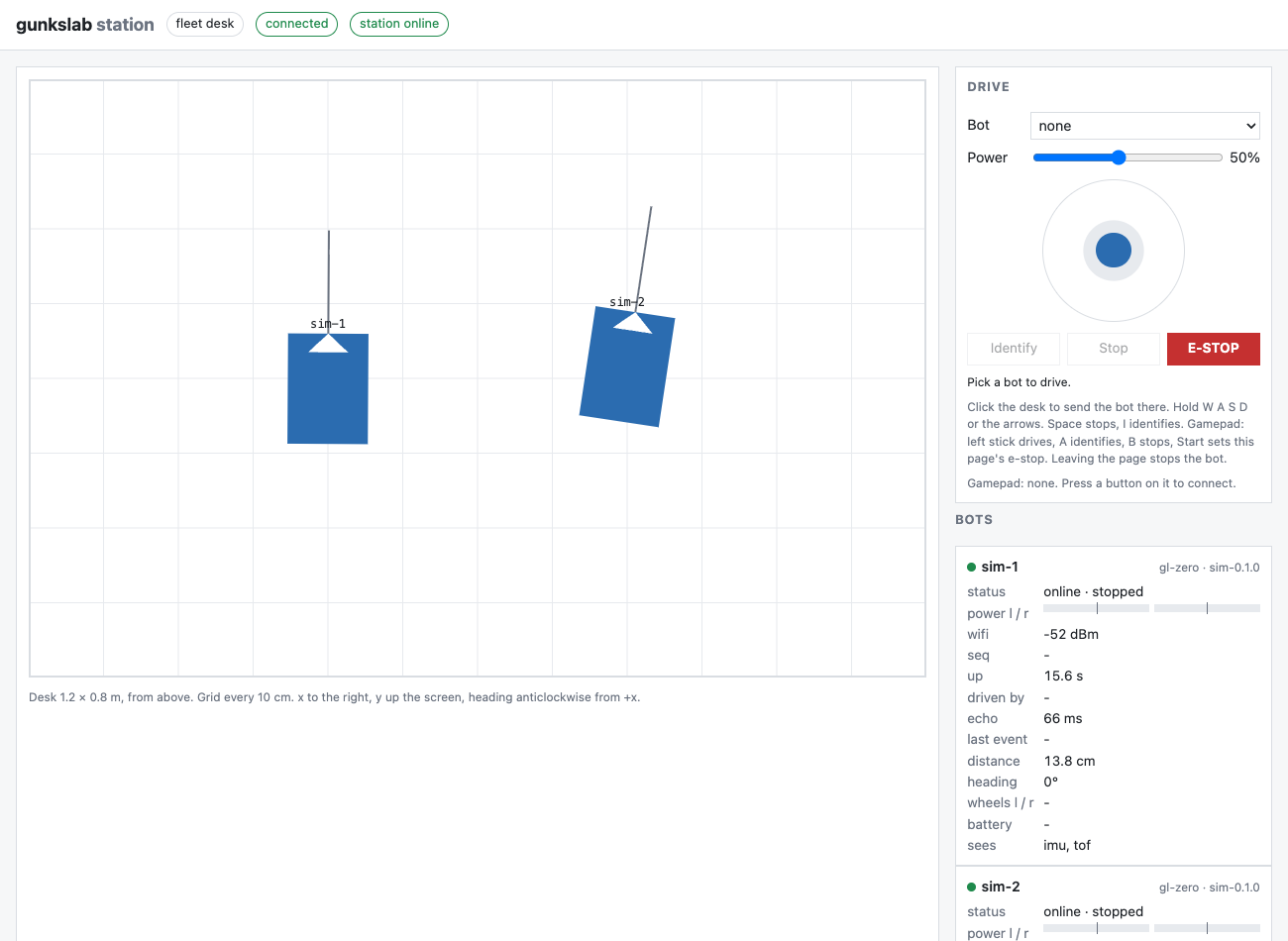
If yours doesn’t look like this, see Fix a problem.
2. Drive
Open http://127.0.0.1:8080/. The desk shows the two bots from above. Pick one in the drive panel. Drive it with the arrow keys, the on-screen pad or a gamepad. Click anywhere on the desk and the station drives the bot there for you.
3. Tidy up
./gunkslab down
It saves each piece’s log in logs/, then stops everything gunkslab started.
Fix a problem
./gunkslab doctor
When everything’s fine, the last line says:
nothing to fix
It checks the container runtime, the three ports, what’s running and what’s left over. Anything wrong gets a FIX
line, with the fix under it. If you’re still stuck, restart everything:
./gunkslab down && ./gunkslab up
./gunkslab status says what’s running. ./gunkslab logs puts every piece’s log in logs/.
Next
Before tutorial 01, stop everything:
./gunkslab down
The tutorials start each piece themselves. With the quickstart still running, tutorial 01’s watch fills with the
simulator’s messages, and tutorial 03’s scripts/sim up 2 stops with “already up”.
From here to the end of tutorial 03 is about an hour and a half: 01, 02 and 03 take about 30 minutes each.
- Start tutorial 01: The MQTT broker.
- The tutorials show how it works, from the broker up.
- The scripts reference has every command and its options. Each piece also has its own
script (
scripts/broker,scripts/sim,scripts/station,scripts/viewer). The tutorials use those.